Reader

#selfhosting posts

from Software and Tech

It started with a perfectly good and running kubernetes cluster hosting fediverse applications at keyboardvagabond with all the infrastructure and observability that comes with it. I've worked in kubernetes environments for a while, but lacked being able to see how everything comes together and what it means; I also wanted to host some fediverse software for the digital nomad community.

I followed a guide on bare metal kubernetes setup with hetzner (though you should definitely NOT change cluster.local like it says) with some changes, adjustments, and modifications over time to suite my scenario. While I was getting up and running with my 3 cluster VPS servers, I became nervous about resource usage. The applications that I host are currently more ram needy than cpu and the nodes with all of the applications were using ~12GB out of the 16GB available. I decided to make 2 of the 3 nodes worker nodes and have one control plane node. The control plane is the one that determines what the other nodes are doing and hosting. Put a pin in this, it'll come back later.

I also was able to migrate from DNS entries on exposed ports to Cloudflare tunnels and Tailscale for VPN access. This means that no one can try to input commands on the Talos or Kubernetes ports, as they're no longer exposed. You'd need to figure out the encryption key to be able to do it, but now it's even safer. Put a pin in that.

This has been very much a learning process for me in a lot of ways, and I hope that I haven't forgotten too much – it's funny how memory is. I've been taking a lot of notes and having claude/cursor draw up summaries that I leave lying around. It's funny how much sense your documentation makes until you come back 3 months later.

One of the issues that was in the back of my mind was that I had configured the Talos configuration launch kubernetes with the port number specified and I was using the external IP. This was a mistake, because it meant that the nodes were primarily communicating with each other externally rather than over the VLAN, or the internal network. Internal traffic still happened, as I believe that service to service communication would go via kubernetes to a local IP. However, I eventually got a broken dashboard working that showed me the network traffic by device, but it was all on eth0, the external ethernet, not the VLAN. I then checked the dashboards on the provider and it showed 1.8TB of internet usage. That's within my budget, thankfully, but way too much for a single-user cluster, as I had not yet announced the services as open to the public.

I wanted to get this working before going live, so I figured that I would start with n3, one of the workers. I have an encrypted copy of the Talos machine config, but couldn't decrypt it, so I copied n2, changed the IP to the internal 10.132.0.30, and applied...... I forgot to change the host name from n2 to n3.

No biggie, I'll change it and apply....timeouts. Tailscale is no longer connected to the cluster. I spent an hour trying to get access, working with Claude for ideas and work-arounds. No dice. I believe what happened was that in the confusion of 2 nodes with the same name, Tailscale was likely running on n3 and was no longer accessible and the weird state of things caused it to not be spun up on the other nodes. If it wasn't a weird state it was because at my scaling with redundant services and two nodes don't have the RAM available to handle everything from a failed node. But either way, I had to get back in to the cluster.

I went into the VPS dashboard and rebooted the server into recovery mode, wiped the drive, re-installed, and tried to re-join the cluster. This should have been fine as I ensure that there are 2 copies of all storage volume across the nodes in addition to nightly s3 backups. In hind-sight, I might have been better rebooting talos into maintenance mode. But it didn't rejoin the cluster. It turns out that I was missing a particular network configuration that would allow a foreign node to join. That doesn't happen automatically, there's allow-listing for the IP address and some other network policies that need to exist to allow it and I was missing one for one of the talos ports.

I need to get to the control plane node, n1. I rebooted into Talos maintenance mode and apply the new configuration, but it's logging that it can't join a cluster and that I need to bootstrap it to join. I guess that makes sense, it was the only control plane. I get it up and running and progressively add n3 and n2 and they re-join. I reinstall the basic infrastructure to get running and then let FluxCD restart all of the services. The majority boot up, but I notice that a couple of services are blank. No existing data.

I check the longhorn UI, which is what I use to manage storage, and I don't see a lot of volumes, but I see about 50 orphans.... Crap. All volumes were orphaned. When I put n1 into maintenance mode and then bootstrapped, I thought that longhorn would see the volumes and put them back with the services that they belonged to. However, when I redid n1, etcd, the part that manages cluster resources, was cleared and all that storage information lost who and what it belonged to. Learning is painful sometimes.

I tried to take a look at the volumes, but Talos is pretty minimal, so Claude made a pod with alpine and XFS (my file-system) tools that would attach a specific orphan volume, mount it, and try to look at the contents to see what it belonged to. Some things were fairly easy to identify, such as the WriteFreely blog, which is one of the first services that I loaded and uses its own SQLite database. I got that up and running. I also use harbor registry to be a mirror proxy and allow me to privately push my own builds – it was all 0s, or at least the first 100MB were. That's not a huge deal. The database volumes were intact, but I couldn't really get those running, so I'd have to re-create it.

I gradually got these services running and re-configured. Once Harbor is up, images should start getting pulled and cached. But redis failed to pull. That's weird.

But first let me get the database running with CloudNative Postgres. I got it up, but the database was empty, so back to looking at orphans. The tricky thing here is that a few applications have their own postgres databases, such as Harbor Registry. So instead of looking at the file structure I also had to find out what tables were there, but even when I found them, I didn't know which orphan belonged to the primary rather than a replica. In the end, I decided to restore the latest nightly backup and then had Claude arrange a “swap” where it replaces the current “volume claim” with a pinned “volume” name. Essentially, the database pod has a PVC (persistence volume claim) and I want to have the claim that is used be pointed to the recovered volume. So I had claude execute those steps, which unfortunately can leave you with a PVC in your source code that has a volume reference, which you can get rid of, but may or may not be immediately worth it. I restarted and postgres shows all of the databases that I expect.

Next is to fix redis. It turns out that not only Harbor was using Bitnami helm charts (pre-made configurations for kubernetes), but so was the redis cluster. I run with a main and 2 replicas on the 3 nodes. It was failing because Bitnami no longer wants to provide free charts, so they moved everything to bitnamilegacy. No biggie, I'll just change the image and repository that's used and it'll load. Redis loaded, but then there was another component called “redis-exporter” for metrics that seemed to ignore the image override. I then spent the next few hours trying to get it to work and experimenting with other helm charts that provide a cluster arrangement. I settled on one and got redis working. I did lose some data as some applications like piefed started running and publishing messages that it received to do work from the 3 days of being off-line. I decided not to try to recover that. Oh well, it's only social media. Once I go live there will be more current things to look at. It was a pain, though.

After this, I spent quite a few hours fixing small issues with getting FluxCD to reconcile the state of things, especially since I had made changes to PVCs, which are immutable. That took quite a few more hours to either recreate or undo changes so that FluxCD was happy. Eventually everything came online despite me hitting Docker rate limits. I rebuilt the rest of the various fediverse apps, as I have custom builds for Bookwyrm (books), Piefed (reddit), and Pixelfed (instagram) for my kubernetes cluster.

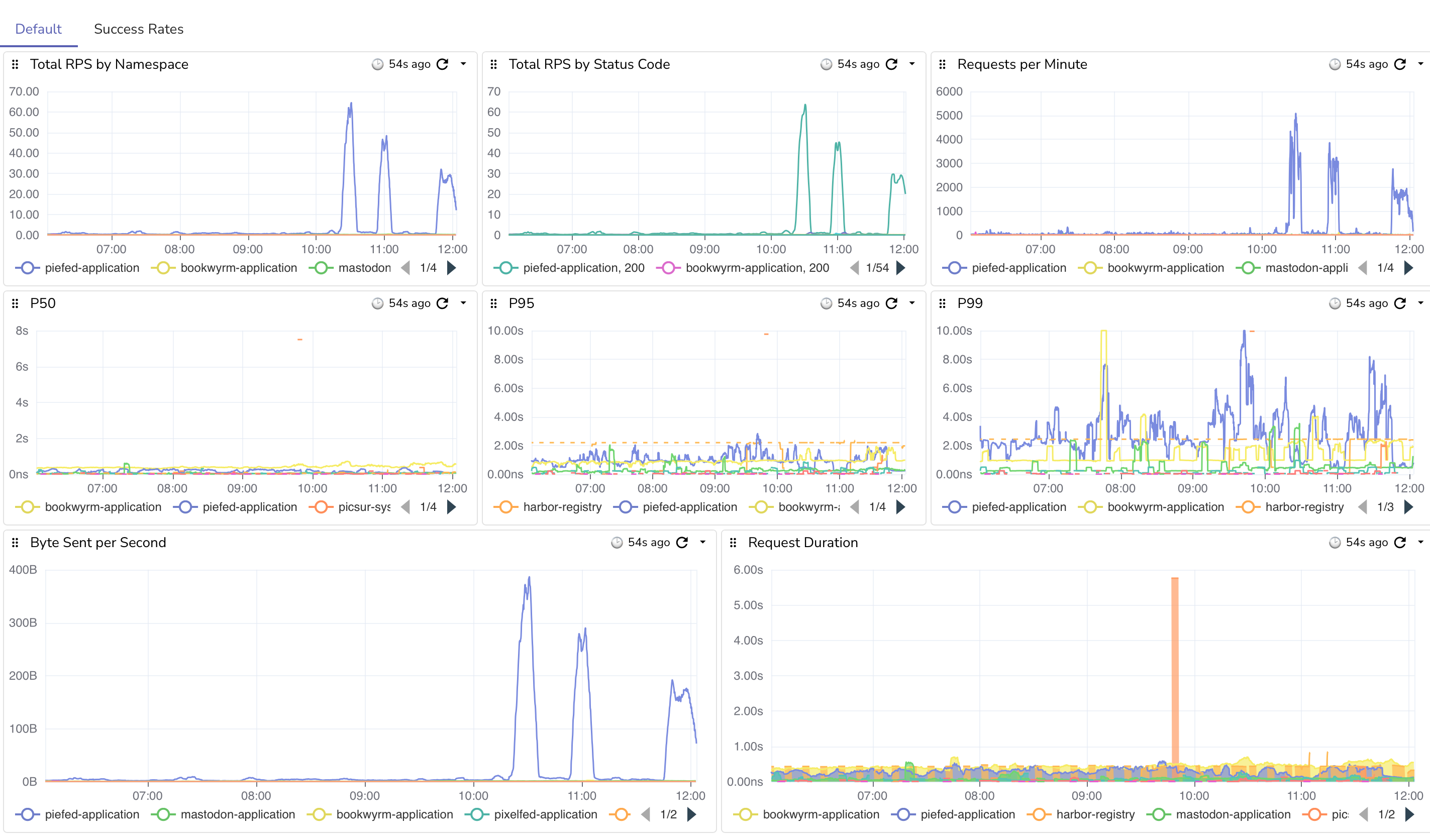
I then began to rebuild the dashboards that I had lost. I still don't have all of them, but at least now that networking tab show a LOT of devices, including the VLAN. Mission accomplished? I did do one extra and got a log view of long-running queries from different apps that I could annoy the developers with, but they look like some easy fixes with some indexes and light code changes, hopefully.

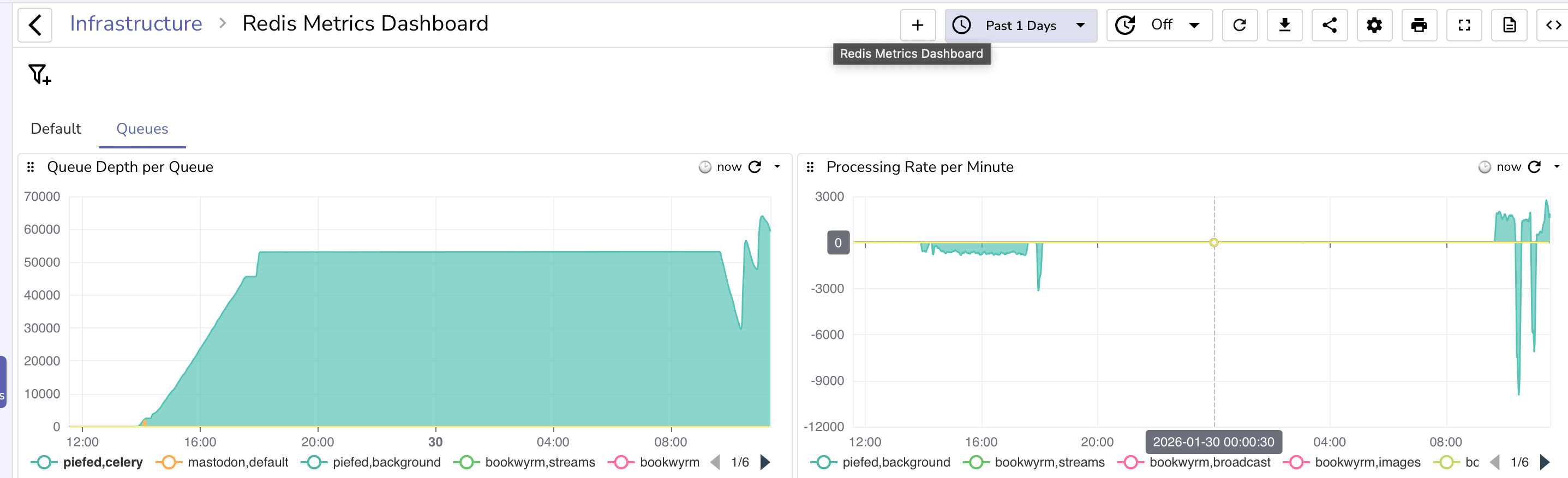
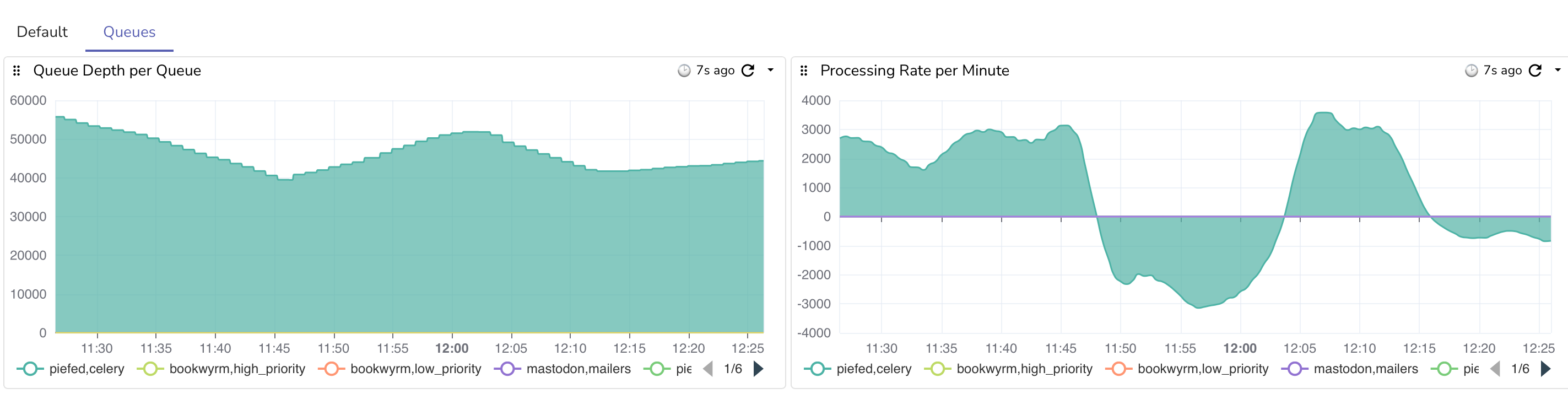
I still need to rebuild the redis dashboards, as I had some metrics for the different event queues that the apps use, which I could use to monitor is something bad happened. On ocassion, if another server fails to respond, it could cause a queue backup, as I don't believe the varioius apps are “grouping” by domain name, which is a feature with the redis XGROUP command.

Here's a funny thing, though. After getting the services up and running for a couple of days, the RAM usage is the same with 3 control plane nodes as it was with just one, so my worries were for nothing and cost me the cluster.

As part of the recovery, I took the opportunity to create a VIP for talos. This is a static IP address that the different control planes vote on for who is managing. So I changed the talos host from a domain name, such as api.mycluster.com to that IP of 10.132.0.5. I also took the time to migrate from Tailscale's subnet route setup to their operator helm chart. This should let me expose different services over the VPN with a domain name using their MagicDNS system and a meta attribute on the service. I haven't done that yet, though.

This disaster was avoidable and could have been a few minute upgrade if I did everything right, but I was able to take the opportunity to fix some other networking and service issues that I was too afraid to do on a running environment. Now all of my services are communicating over the VLAN, I have a VIP for Talos, Tailscale is upgraded, I've migrated more off of Bitnami, and I can now properly handle a node failure except for full service restarts. I would still have to scale down some things manually for that fail-over. But nobody is making or losing money off of this, except for me and my VPS provider, so good enough.

In the end, I got up and running, and the AI was actually quite helpful for debugging issues and quickly generating commands and templates for volume recovery. It was nice being able to let it either work or run a script to examine the orphan volumes for me. I did have to play around with getting it to create notes to go to new contexts as they would get full quickly once I ran out of Claude usage with my plan. I'm glad I didn't have to type a bunch of stuff myself. Of course, AI is still “that looks about right”, which is a thing that I'm aware of, but it wound up being a useful tool for this recovery.

The other thing that helped a good bit was I was actually in another town to visit an old travel friend. Normally I'm the type of person to obsess about a problem until it's solved, but I was there to visit a friend and nobody's livelihood depends on this. So I pulled myself away to go hang and even after just 15 minutes away from the keyboard I'd start getting new ideas or realizing something new. That's one reason the recovery took several days, because I was still living (and obsessing). The mandatory breaks were probably the most helpful things that I could have done – I just don't know how to replicate those.

#talos #kubernetes #selfhosting #fediverse #keyboardvagabond #whybitnamiwhy #cluster #vps #failover #distasterRecovery

 
Read more...

from Software and Tech

Edit: The below didn't work. Jump to the edit to see the current attempt.

I'm experimenting with where to put these types of blog posts. I have been putting them on my home server, at gotosocial.michaeldileo.org, but I'm thinking of moving over here instead of a micro-blogging platform.

Longhorn, the system that is used to manage storage for Keyboard Vagabond, performs regular backups and disaster recovery management. I noticed that on the last few billing cycles, the costs for S3 cloud storage with BackBlaze was about $25 higher than expected, and given that the last two bills were like this, it's not a fluke.

The costs are from s3_list_objects, over 5M calls last month. It turns out this is a common thing that has been mentioned in github, reddit, Stack Overflow, etc. The solution seems to be just to turn it off. It doesn't seem to be required for backups and disaster recovery to work and Longhorn seems to be doing something very incorrectly to be making all of these calls.

...
data:
    default-resource.yaml: |-
        ...
        "backupstore-poll-interval": "0"

My expectation is that future billing cycles should be well under $10/month for storage. The current daily average storage size is 563GB, or $3.38 per month.

#kubernetes #longhorn #s3 #programming #selfhosting #cloudnative #keyboardvagabond

Edit – the above didn't work (new solution below)

Ok, so the network policy did block the external traffic, but it also blocked some internet traffic that caused the pods to not be in a ready state. I've been playing around with variations of different ports, but I haven't found a full solution yet. I'll update if I get it resolved. I got it. I had to switch to a CiliumNetworkPolicy

I also tried changing the polling interval from 0 to 86400, though I think the issue is ultimately how they do the calls, so bear this in mind if you use Longhorn. Right now I'm toying around with the idea of setting a cap, since my backups happen after midnight, so maybe gamble on the cap getting reset and then a backup happening, then at some point the cap gets hit and further calls fail until the morning? This might be a bad idea, but I think that I could at least limit my daily expenditure.

One thing to note from what I read in various docs is that in Longhorn v1.10.0, they removed the polling configuration variable since you can set it in the UI. I still haven't solved the issue, ultimately.

I see that yesterday longhorn made 145,000 Class C requests (s3-list-objects). I found on a github issue that someone solved the issue be setting a network policy to block egress outside of those hours. I had Claude draw up some policies, configurations, and test scripts to monitor/observe the different system states. The catch, though, is that I use FluxCD to maintain state and configuration, so this policy cannot be managed by flux.

The gist is that a blocking network policy is created manually, then there are two cron jobs: one to delete the policy 5 minutes before backup, and another to recreate it 3 hours later. I'm hoping this will be a solution.

Edit: I think that I finally got it. I had to switch from a NetworkPolicy to CiliumNetworkPolicy, since that's what I'm using (duh?). using toEntities: kube-apiserver fixed a lot of issues. Here's what I have below. It's the blocking network configuration and the cron jobs to remove and re-create it. I still have a billing cap in place for now. I found that all volumes backed up after the daily reset. I'm going to keep it for a few days and then consider whether to remove it or not. I now at least feel better about being a good citizen and not hammering APIs unnecessarily.

---
# NetworkPolicy: Blocks S3 access by default
# This is applied initially, then managed by CronJobs below
# Using CiliumNetworkPolicy for better API server support via toEntities
apiVersion: cilium.io/v2
kind: CiliumNetworkPolicy
metadata:
  name: longhorn-block-s3-access
  namespace: longhorn-system
  labels:
    app: longhorn
    purpose: s3-access-control
spec:
  description: "Block external S3 access while allowing internal cluster communication"
  endpointSelector:
    matchLabels:
      app: longhorn-manager
  egress:
    # Allow DNS to kube-system namespace
    - toEndpoints:
      - matchLabels:
          k8s-app: kube-dns
      toPorts:
      - ports:
        - port: "53"
          protocol: UDP
        - port: "53"
          protocol: TCP
    # Explicitly allow Kubernetes API server (critical for Longhorn)
    # Cilium handles this specially - kube-apiserver entity is required
    - toEntities:
      - kube-apiserver
    # Allow all internal cluster traffic (10.0.0.0/8)
    # This includes:
    # - Pod CIDR: 10.244.0.0/16
    # - Service CIDR: 10.96.0.0/12 (API server already covered above)
    # - VLAN Network: 10.132.0.0/24
    # - All other internal 10.x.x.x addresses
    - toCIDR:
      - 10.0.0.0/8
    # Allow pod-to-pod communication within cluster
    # The 10.0.0.0/8 CIDR block above covers all pod-to-pod communication
    # This explicit rule ensures instance-manager pods are reachable
    - toEntities:
      - cluster
    # Block all other egress (including external S3 like Backblaze B2)
---
# RBAC for CronJobs that manage the NetworkPolicy
apiVersion: v1
kind: ServiceAccount
metadata:
  name: longhorn-netpol-manager
  namespace: longhorn-system
---
apiVersion: rbac.authorization.k8s.io/v1
kind: Role
metadata:
  name: longhorn-netpol-manager
  namespace: longhorn-system
rules:
- apiGroups: ["cilium.io"]
  resources: ["ciliumnetworkpolicies"]
  verbs: ["get", "create", "delete"]
---
apiVersion: rbac.authorization.k8s.io/v1
kind: RoleBinding
metadata:
  name: longhorn-netpol-manager
  namespace: longhorn-system
roleRef:
  apiGroup: rbac.authorization.k8s.io
  kind: Role
  name: longhorn-netpol-manager
subjects:
- kind: ServiceAccount
  name: longhorn-netpol-manager
  namespace: longhorn-system
---
# CronJob: Remove NetworkPolicy before backups (12:55 AM daily)
# This allows S3 access during the backup window
apiVersion: batch/v1
kind: CronJob
metadata:
  name: longhorn-enable-s3-access
  namespace: longhorn-system
  labels:
    app: longhorn
    purpose: s3-access-control
spec:
  # Run at 12:55 AM daily (5 minutes before earliest backup at 1:00 AM Sunday weekly)
  schedule: "55 0 * * *"
  successfulJobsHistoryLimit: 2
  failedJobsHistoryLimit: 2
  concurrencyPolicy: Forbid
  jobTemplate:
    spec:
      template:
        metadata:
          labels:
            app: longhorn-netpol-manager
        spec:
          serviceAccountName: longhorn-netpol-manager
          restartPolicy: OnFailure
          containers:
          - name: delete-netpol
            image: bitnami/kubectl:latest
            imagePullPolicy: IfNotPresent
            command:
            - /bin/sh
            - -c
            - |
              echo "Removing CiliumNetworkPolicy to allow S3 access for backups..."
              kubectl delete ciliumnetworkpolicy longhorn-block-s3-access -n longhorn-system --ignore-not-found=true
              echo "S3 access enabled. Backups can proceed."
---
# CronJob: Re-apply NetworkPolicy after backups (4:00 AM daily)
# This blocks S3 access after the backup window closes
apiVersion: batch/v1
kind: CronJob
metadata:
  name: longhorn-disable-s3-access
  namespace: longhorn-system
  labels:
    app: longhorn
    purpose: s3-access-control
spec:
  # Run at 4:00 AM daily (gives 3 hours 5 minutes for backups to complete)
  schedule: "0 4 * * *"
  successfulJobsHistoryLimit: 2
  failedJobsHistoryLimit: 2
  concurrencyPolicy: Forbid
  jobTemplate:
    spec:
      template:
        metadata:
          labels:
            app: longhorn-netpol-manager
        spec:
          serviceAccountName: longhorn-netpol-manager
          restartPolicy: OnFailure
          containers:
          - name: create-netpol
            image: bitnami/kubectl:latest
            imagePullPolicy: IfNotPresent
            command:
            - /bin/sh
            - -c
            - |
              echo "Re-applying CiliumNetworkPolicy to block S3 access..."
              kubectl apply -f - <<EOF
              apiVersion: cilium.io/v2
              kind: CiliumNetworkPolicy
              metadata:
                name: longhorn-block-s3-access
                namespace: longhorn-system
                labels:
                  app: longhorn
                  purpose: s3-access-control
              spec:
                description: "Block external S3 access while allowing internal cluster communication"
                endpointSelector:
                  matchLabels:
                    app: longhorn-manager
                egress:
                # Allow DNS to kube-system namespace
                - toEndpoints:
                  - matchLabels:
                      k8s-app: kube-dns
                  toPorts:
                  - ports:
                    - port: "53"
                      protocol: UDP
                    - port: "53"
                      protocol: TCP
                # Explicitly allow Kubernetes API server (critical for Longhorn)
                - toEntities:
                  - kube-apiserver
                # Allow all internal cluster traffic (10.0.0.0/8)
                - toCIDR:
                  - 10.0.0.0/8
                # Allow pod-to-pod communication within cluster
                # The 10.0.0.0/8 CIDR block above covers all pod-to-pod communication
                - toEntities:
                  - cluster
                # Block all other egress (including external S3)
              EOF
              echo "S3 access blocked. Polling stopped until next backup window."
 
Read more...